So you’ve probably used your smartphone for a while and realise with time you need to charge it more than you used to for it to get you through your daily needs. This is usually the case with all smartphones since though smartphones have extremely evolved in the past years, the battery types hasn’t.
In this tech survey generation, where social media is the norm , its approximated that a regular teenager spends about 7 hours of their day glued to their phones, while this is believed to be harmful to us one other factor that is under-looked is that it also harms the smartphones itself.
Recent studies show that for healthy usage of smartphones one has to use at most about 4 hours of their day on their phones, so clearly most phones out their are unhealthy.
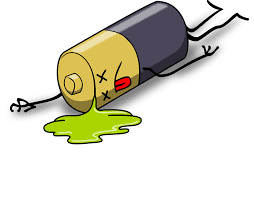
In this article I will give my tips on how to get the most of your smartphone lifespan.
1. Avoid extreme heat or cold
Phones too need an optimal temperature range where both extremes mess up with the systems inside, being reasonable with your usage to prevent overheating would save the battery from faster degradation. If you also notice your phone heating while charging I would prefer removing the case to dissipate the heat faster.
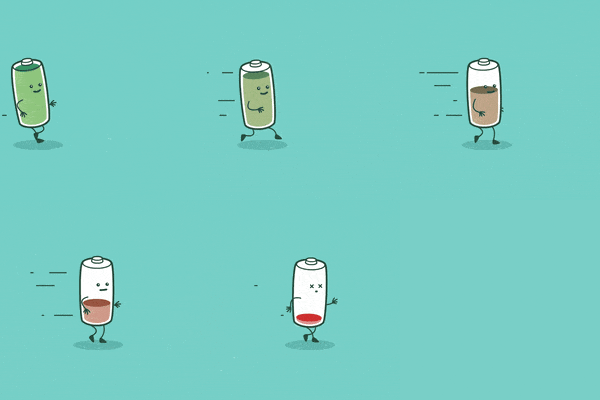
2. Keep the power between 20% and 90% if possible
With smartphones optimal charge percentage being 50% its best considered not to go below 20% and above 90% if you are the sort of person to charge your phone in short cycles. This also raises the question whether its healthy to charge overnight, yes it is due to latest software that prevents further charging when the 100% is attained.
3. Reduce Screen- Timeout
Short screen-time out periods can be irritating prompting one to choose a longer one. I would suggest a one minute time-out to give one enough time to get to their phone since with the latest chipsets and ram sticks information wont be lost if the screen is off. This also gives safety to the user in case they forget to lock their phones.
4. Make the Most of the power settings

With huge strides in AI recognition, phones are smart enough to reduce battery drain by closing apps that you don’t but previously opened. The latest android and IOS devices have an intelligent power saver mode on their battery settings that would prioritize running apps to make sure you get more time with your phone without worry.
5. Dim the display, or use the dark theme
For the safety of your eyes its recommended to use auto-screen brightness feature paired together with the dark theme which is in the recent devices. This gives a double advantage since it reduces battery drain and the strain in our eyes.
6. Download apps intelligently
Due to extreme monetization of apps , most apps have various advertisements in them that it slowly drain your battery as they run in the background as you use your phone, You can reduce this by using a legitimate ad-blocker or if you have some cash to spare choose a one time purchase of the apps that are ad-free.
7. Understand your phones
Not all phones are the same, there are different technologies and features at play when it comes to smartphones. Reading more about your phone, including the number of Charge-cycles supporting would help you decide how to your phone. Charge cycle is the duration it takes for a phone to fully charge and fully drain its battery, expensive phones have the largest number of the cycles and the the number progressively reduces with the price. All information about your phone is usually available in the company’s website.
8. Do updates regularly
Its always the norm that newer software is usually battery efficient. This is attributed to security patches installed in the software that make sure your phone is running at its best always, using newer apps in older phone software can cause your phone to struggle hence more battery drain.
9. Turn off unused features
Its best to turn off certain features in your phone if you don’t use them . An example is having the data on while using WiFi, so consider turning off what is not needed like also turning off Bluetooth once you done using it to avoid it running in the background and slowly draining your battery.

10. Using high- quality chargers
Most people don’t consider charger types which is a crucial aspect to look since “bad” power into your phone damages the battery overtime. So to be safe use the charger that comes with the phone or buy one from an authorized dealer.
Conclusion
There is surely many ways to ensure proper battery health, the above are just the common ones that might just boast your phone to stay longer than before. Phones being an essential gadget in our life and at times a life saving one, its best phones don’t die on us at crucial times, so following the above tips may just give one that boast that is needed to get most of their phone effortlessly.
 GC Tech
Well elaborated Mashaallah 💯💯💯
LikeLike